
1. Introduction
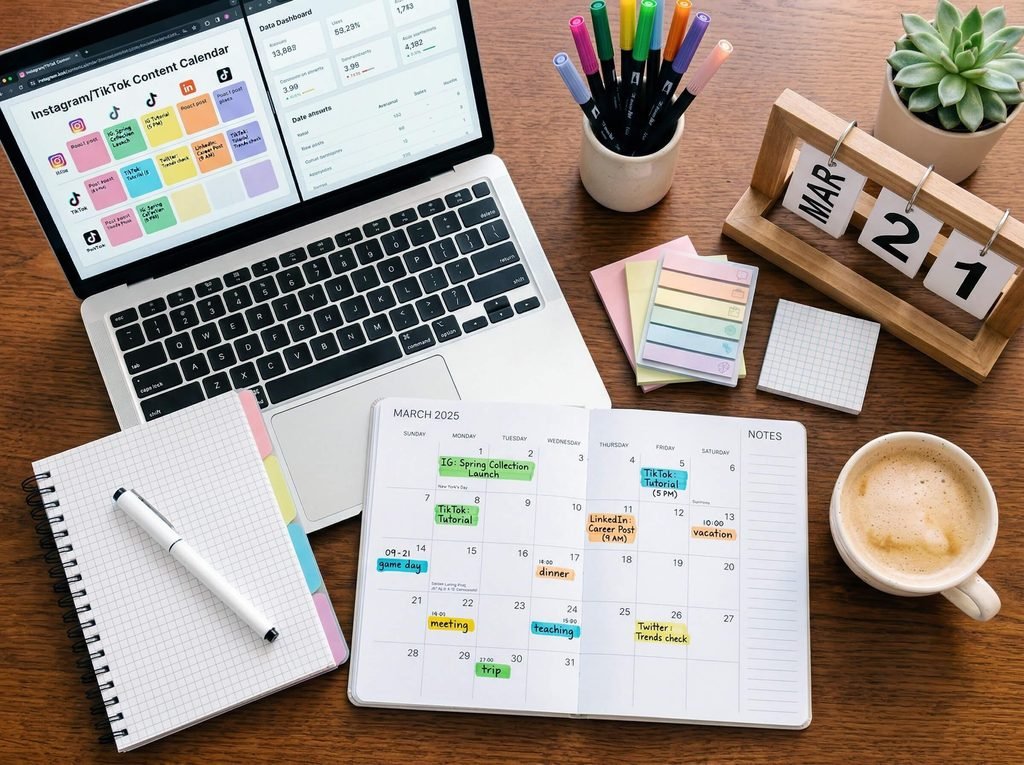
Creating a Monthly Social Media Content Calendar helps businesses plan posts in advance, maintain consistency, and organize their social media marketing activities. It also makes it easier to manage content ideas and schedule posts across different platforms.
Social media has become an important part of digital marketing for businesses of all sizes. Platforms like Instagram, Facebook, and LinkedIn help businesses connect with their audience, promote products, and build brand awareness. However, posting content without a proper plan can make social media marketing difficult and time-consuming.
This is where a monthly social media content calendar becomes useful. It helps you organize your content ideas, plan posts in advance, maintain consistency, and work toward your marketing goals.
In this blog, we will explore what a social media content calendar is, why it matters, and how to create one step by step.
What Is a Social Media Content Calendar?
A social media content calendar is a planning document that organizes your social media posts by date, platform, content type, topic, and publishing time.
It helps you decide what to post, when to post, and which platform to use. You can create your calendar using Google Sheets, Excel, Notion, or social media scheduling tools.
For example, a clothing store might plan Instagram Reels to showcase new arrivals, carousel posts to share styling tips, and Stories to announce offers.
A well-organized calendar makes social media management easier and more effective.
Why Is a Monthly Social Media Content Calendar Important?
Creating a monthly content calendar offers several benefits for businesses and digital marketers.
1. Maintains Consistency
Posting regularly helps your audience stay connected with your brand. A calendar allows you to plan posts in advance and follow a consistent publishing schedule.
2. Saves Time
Instead of deciding what to post every day, you can brainstorm ideas and prepare content in advance. This saves time and reduces last-minute pressure.
3. Improves Content Quality
Planning gives you more time to create useful captions, attractive visuals, engaging videos, and relevant hashtags.
4. Supports Marketing Goals
A content calendar helps you align social media posts with your business objectives, such as increasing brand awareness, generating leads, or promoting products.
5. Provides a Balanced Content Mix
Without planning, businesses may post too much promotional content. A calendar helps you balance educational, entertaining, engaging, and promotional posts.
How to Create a Monthly Social Media Content Calendar
Follow these steps to create a content calendar for your business or clients.
Step 1: Set Your Social Media Marketing Goals
Before planning content, decide what you want to achieve through social media.
Your goals may include:
- Increasing brand awareness
- Growing relevant followers
- Improving engagement
- Driving website traffic
- Generating leads
- Increasing product sales
Choose goals that match your business needs. For example, a new business may focus on brand awareness, while an established online store may prioritize website visits and sales.
Clear goals help you choose the right content topics and measure your progress.
Step 2: Understand Your Target Audience
Your content should match the interests, needs, and problems of your target audience.
Ask yourself:
- Who are my ideal customers?
- What problems do they want to solve?
- Which social media platforms do they use?
- What type of content do they enjoy?
- What questions do they frequently ask?
For example, a beauty brand might create skincare tips, product demonstrations, beauty tutorials, and customer testimonials.
Understanding your audience helps you create content that attracts attention and encourages interaction.
Step 3: Choose the Right Social Media Platforms
You do not need to publish on every social media platform. Choose platforms that suit your business and audience.
- Instagram: Reels, Stories, carousel posts, product showcases, and visual branding.
- Facebook: Community updates, promotions, videos, and customer engagement.
- LinkedIn: Professional insights, industry updates, case studies, and business content.
- YouTube: Tutorials, educational videos, product reviews, and long-form content.
Start with one or two relevant platforms and expand when you have the resources to manage them effectively.
Step 4: Decide on Your Content Pillars
Content pillars are the main topics your brand regularly discusses. They help keep your content organized and varied.
Here are five useful content pillars:
1. Educational content
Share tips, tutorials, how-to guides, and helpful information related to your industry.
2. Promotional content
Highlight your products, services, offers, new arrivals, and special campaigns.
3. Engagement content
Use polls, questions, quizzes, and conversation starters to encourage interaction.
4. Behind-the-scenes content
Show your work process, team activities, product preparation, or business journey.
5. Social proof
Share genuine customer feedback, testimonials, reviews, and case studies with permission.
Choose pillars that suit your business instead of using every category simply for the sake of variety.
Step 5: Plan Your Monthly Content Ideas
Once your goals and content pillars are clear, brainstorm ideas for the entire month.
For example, if you manage a digital marketing page, your monthly ideas could include:
- SEO tips for beginners
- Instagram marketing strategies
- Common Google Ads mistakes
- Digital marketing myths
- Website optimization tips
- Client success stories
- Frequently asked marketing questions
Write down more ideas than you need so you have alternatives when plans change.
Step 6: Create a Weekly Posting Schedule
Divide your monthly plan into four or five weeks. Assign a topic and content format to each publishing day.
For example:
- Monday: Educational carousel
- Tuesday: Quick tip or Story
- Wednesday: Reel or short video
- Thursday: Engagement post
- Friday: Service or product promotion
- Saturday: Behind-the-scenes content
- Sunday: Weekly recap or rest day
This is only a sample schedule. You do not need to post every day. Choose a realistic frequency that allows you to maintain quality and consistency.
Step 7: Organize Everything in a Content Calendar
Use Google Sheets or Excel to record your monthly plan in one place.
Include these columns:
- Publishing date
- Social media platform
- Content topic
- Content pillar
- Post format
- Caption
- Creative or design link
- Call to action (CTA)
- Status
- Performance results
Your status column can include labels such as Idea, In Progress, Ready, Scheduled, and Published.
This makes it easier to track each post from planning to publishing.
Step 8: Create Content in Advance
Once your calendar is ready, prepare the content before the publishing date.
Write captions, design graphics, record videos, select relevant hashtags, and add clear calls to action.
For example, a post about SEO tips could end with: “Save this post for your next website optimization session.”
Batching similar tasks can improve efficiency. You might write several captions in one session and design multiple posts in another.
Always review your content for spelling, accuracy, brand consistency, and platform requirements before publishing.
Step 9: Schedule Your Social Media Posts
Scheduling tools can help you prepare posts in advance and reduce manual work.
You can explore tools such as Meta Business Suite for eligible Facebook and Instagram publishing workflows, or other social media management platforms that support your channels.
Before scheduling, check the date, time, caption, links, visuals, and publishing settings. Some content types or features may still require manual publishing or additional checks.
Step 10: Track Performance and Improve Your Calendar
A content calendar should not remain unchanged forever. Review your results regularly to understand what your audience finds useful.
Monitor relevant metrics such as:
- Reach and impressions
- Likes, comments, shares, and saves
- Video views and watch time
- Profile visits
- Website clicks
- Leads and conversions
Compare similar posts to identify patterns. If educational Reels consistently attract relevant engagement, consider creating more of them.
Use performance data to improve the next month’s calendar rather than relying only on assumptions.
Sample Monthly Social Media Content Calendar
Here is a simple example for a digital marketing business. You can adapt it for Instagram, Facebook, or LinkedIn.
| Week | Content Topic | Format | Goal |
|---|---|---|---|
| Week 1 | What Is SEO? | Carousel | Education |
| Week 1 | 3 Instagram Marketing Tips | Reel | Engagement |
| Week 2 | Common Website SEO Mistakes | Carousel | Education |
| Week 2 | Behind the Scenes of a Campaign | Story | Brand awareness |
| Week 3 | Google Ads vs Meta Ads | Infographic | Education |
| Week 3 | Frequently Asked Questions | Reel | Engagement |
| Week 4 | Benefits of Digital Marketing | Carousel | Brand awareness |
| Week 4 | Digital Marketing Services | Promotional post | Lead generation |
This sample includes eight posts across four weeks. You can add more posts, Stories, or videos depending on your goals and available resources.
Best Tools to Create a Social Media Content Calendar
You can create an effective calendar without expensive software.
1. Google Sheets
Useful for organizing dates, topics, captions, publishing status, and performance data in a simple spreadsheet.
2. Canva
Useful for designing social media graphics, carousel posts, and visual planning materials.
3. Meta Business Suite
Useful for managing eligible Facebook and Instagram content, scheduling supported posts, and reviewing available performance insights.
4. Notion
Useful for organizing content ideas, maintaining a content database, assigning tasks, and managing workflows.
5. Trello
Useful for tracking content production using stages such as Ideas, Writing, Design, Review, and Published.
Choose tools based on your workflow, budget, and the number of platforms you manage.
Common Mistakes to Avoid When Creating a Content Calendar
Avoid these mistakes to make your planning process more effective:
- Posting without clear marketing goals.
- Sharing only promotional content.
- Ignoring your target audience’s interests.
- Planning an unrealistic number of posts.
- Repeating the same content without adding value.
- Forgetting to include calls to action when appropriate.
- Failing to review post performance.
- Scheduling posts without checking the final content.
- Ignoring comments and messages from your audience.
A successful calendar should be organized but flexible enough to respond to important updates, trends, and audience feedback.
Conclusion
Creating a monthly social media content calendar is an effective way to organize your digital marketing activities. It helps you plan content in advance, maintain consistency, save time, and align your posts with business goals.
Start by defining your objectives, understanding your audience, choosing content pillars, and planning a realistic publishing schedule. Then organize your ideas in Google Sheets or another suitable tool, prepare your content in advance, and review performance regularly.
Remember, successful social media marketing is not just about posting frequently. It is about sharing valuable, relevant content that connects with your audience and supports your business goals.
Plan your content today, stay consistent, and make every social media post more purposeful.
Frequently Asked Questions (FAQs)
1. What is a monthly social media content calendar?
It is a document that organizes social media posts by date, topic, platform, format, and publishing status for a month.
2. How do I create a social media content calendar for free?
You can use Google Sheets to organize your content ideas, dates, captions, post formats, and publishing status without paying for a dedicated calendar tool.
3. How many times should a business post on social media?
The ideal frequency depends on your audience, platform, resources, and goals. Start with a manageable schedule and adjust it using performance data.
4. Which tool is best for planning social media content?
Google Sheets is a simple option for calendar planning. Canva helps with design, while Meta Business Suite can help manage eligible Facebook and Instagram publishing workflows.
5. What should a social media content calendar include?
It should include publishing dates, platforms, content topics, formats, captions, creative links, calls to action, status, and performance results.
6. Why is content planning important in digital marketing?
Content planning helps businesses publish consistently, save time, maintain a balanced content mix, and measure whether their marketing activities support their goals.
Monthly Social Media Content Calendarhttps://www.facebook.com/business/tools/meta-business-suite?utm_source=chatgpt.com